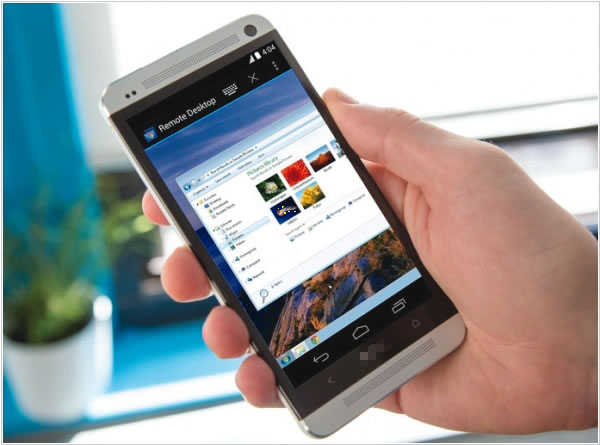
As remote work and side businesses continue to thrive, smartphones are rapidly transforming into fully functional mobile offices, enabling professionals to conduct business, manage projects, and maintain productivity from virtually anywhere.
Once regarded primarily as devices for communication and entertainment, smartphones have now become indispensable tools for document creation, financial transactions, and team collaboration. Experts suggest that with the right applications and accessories, these devices can replace traditional office setups for many professionals.
Global Shift Towards Mobile Workspaces
According to the World Bank, one in five jobs worldwide can be performed remotely. However, in low-income countries, this figure drops significantly to one in 26, mainly due to limited internet access and digital infrastructure. This disparity underscores the dual role of mobile technology as both a catalyst for productivity and a barrier for those without proper connectivity.
Beyond accessibility, professionals are turning to smartphones not just for convenience but also for efficiency. Many modern smartphones possess processing power comparable to some laptops, making them suitable for a wide range of work-related tasks.
Smartphones as Workstations: Tools and Best Practices
Tech experts suggest that optimizing smartphones for work requires the right setup, including:
- Work Profiles for Data Security:
Marketer Carol Smith recommends setting up separate work profiles on Android devices to keep corporate apps and data isolated from personal usage. This allows businesses to manage app installations, permissions, and security while protecting personal information. - Desktop-Like Experience with Accessories:
Tech analyst Rabin Mathew highlights the benefits of connecting keyboards and mice via USB or Bluetooth, as well as casting phone screens onto larger displays for a desktop-like experience. “With Microsoft Office apps, I can draft documents, edit spreadsheets, and create presentations without needing a laptop,” Mathew said. - Time Management for Productivity:
Entrepreneur Rishabh Jain advocates using Google Calendar to schedule tasks and set priorities. “The hardest part is saying no to distractions,” he said. “When I allocate time for work, I make sure to protect that time.”
Rise of Productivity and Collaboration Apps
Several mobile applications have emerged as essential tools for professionals working remotely.
- Task & Project Management: Apps like Asana, ProofHub, and Evernote allow teams to assign tasks, track deadlines, and collaborate in real time.
- Document Handling & Digital Signatures: Tools such as Microsoft Lens and Adobe Fill & Sign enable users to scan, edit, and sign documents directly from their smartphones.
- Financial Management: Mobile banking apps, platforms like Paystack, and cloud accounting services have streamlined invoicing, expense tracking, and payments for entrepreneurs.
- Data Security & Storage: Experts recommend cloud storage solutions like Google Drive and Dropbox, along with two-factor authentication and VPN services to secure sensitive work data.
Challenges: Distractions and Cybersecurity Risks
While smartphones enable greater flexibility, they also present challenges, particularly in terms of work distractions and security risks. Experts advise professionals to:
- Enable Focus Modes to block social media and non-work notifications.
- Implement Strong Passwords and two-factor authentication to prevent cyber threats.
- Use Cloud Backups to safeguard work files in case of device failure or loss.
Mobile Work and the Future of Business
As remote work continues to evolve, smartphones are proving to be more than just communication devices. With growing adoption of virtual meeting platforms like Zoom, Microsoft Teams, and Google Meet, professionals can now conduct business meetings seamlessly from anywhere.
Experts predict that as smartphone technology continues to advance, mobile offices will redefine work culture, further reducing the reliance on traditional office spaces and accelerating the shift toward a more flexible, digital-first work environment.


Leave a Reply